
About the Lancaster County Prothonotary
Pennsylvania does not use one single court clerk. Lancaster County splits the job across offices, and the Prothonotary is the one tied to civil cases. The word is old, but the role is simple. The Prothonotary is the chief filing office for the civil side of the Court of Common Pleas. It takes in complaints, tracks each motion and order, enters judgments, and keeps the civil docket. Civil files are open to the public unless a law or court order closes them.
The office sits in the courthouse at 50 North Duke Street in the city of Lancaster. It records and maintains civil, divorce, custody, and Protection from Abuse files, plus judgments, liens, and name-change cases. It also processes civil appeals, including appeals from the local Magisterial District Judges and appeals up to the Pennsylvania appellate courts. If you want a criminal case, a juvenile file, or a passport, you need the Clerk of Courts instead, not this office.
The county posts the office's scope and contact details on its official page.
You can review the office overview on the Lancaster County Prothonotary page, which lays out what the office files and what it leaves to other offices.
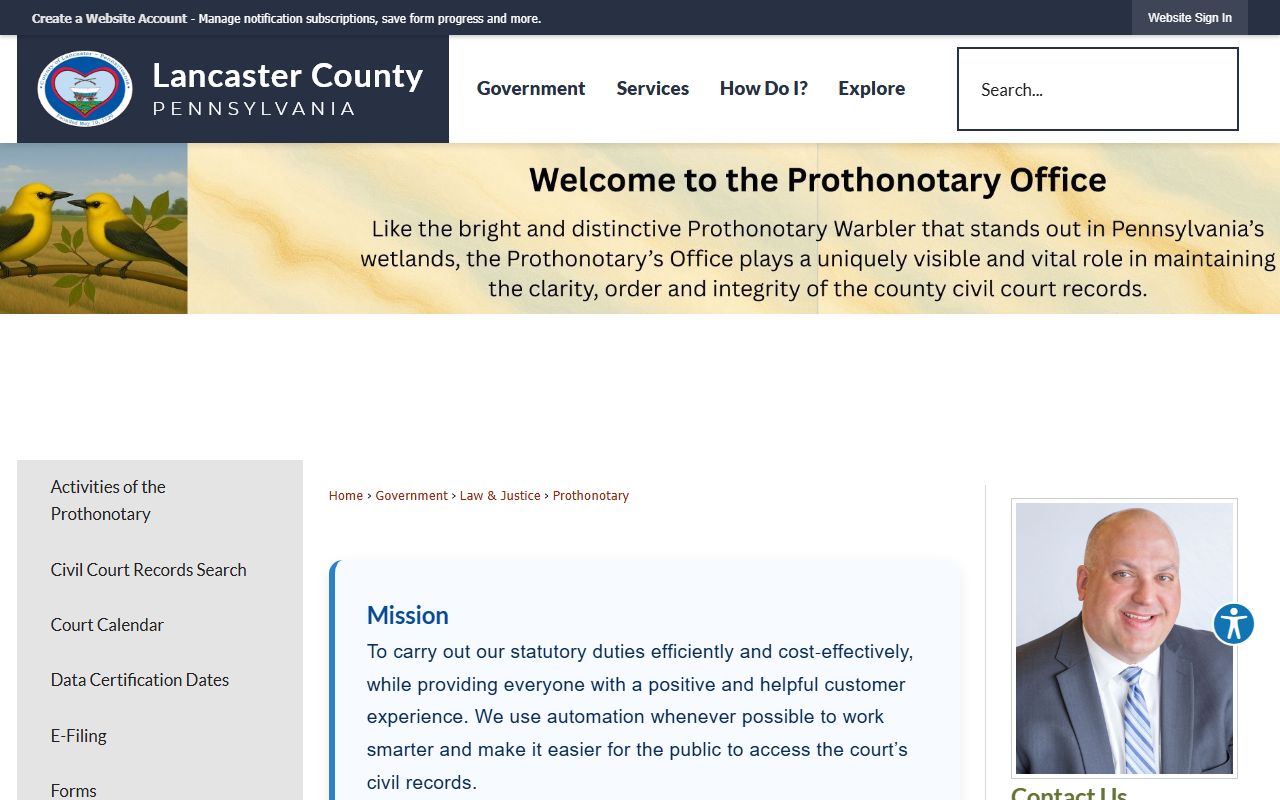
That page is the best first stop before any visit, since it confirms what the civil counter can and cannot do.
Lancaster County Prothonotary
50 N. Duke St.
Lancaster, PA 17602
717-299-8041
Hours: Mon-Fri 8:30 a.m.-5:00 p.m.
What the Prothonotary Does in Lancaster County
The work of the Prothonotary runs the full length of a civil case. The office takes in the complaint, logs each motion and petition, enters the judgment, and keeps the civil record once a case ends. It also handles civil appeals. It processes appeals from Magisterial District Judge judgments up to the Court of Common Pleas, and it processes civil appeals on to the Pennsylvania Superior and Commonwealth Courts. Liens and judgments index here too, which is why a title or debt search often points to this counter.
Beyond case files, the office keeps records that surprise some people. Tax liens, mechanics liens, foreign judgments, and writs of execution all index on the civil side. Name-change cases run through the Prothonotary. So do vehicle-title petitions and private-road petitions. The list below covers the core jobs handled at the civil counter.
- File and keep civil records for the Court of Common Pleas, including contract, tort, and real property cases.
- Hold divorce, custody, and Protection from Abuse files filed on the civil side.
- Enter and index judgments, tax liens, mechanics liens, and writs of execution.
- Process name changes, vehicle-title petitions, and private-road petitions.
- Handle civil appeals, including MDJ appeals and civil appeals to the state appellate courts.
- Collect filing fees and copy fees under the published Prothonotary fee bill.
Criminal and juvenile files are the main thing this office does not keep. Those go to the Clerk of Courts, the criminal filing office for the same court.
How to Search Lancaster County Civil Records
The public civil search runs through the CountySuite Civil Public Search. It is free and open to anyone. You can look up a case by name, by case number, by participant name, by participant address, or by a reference number. The portal covers the civil docket the Prothonotary keeps, so a divorce, a judgment, a lien, or a contract suit should show up here. For a quick start, pick the broad search mode and add filters only if you get too many hits.
Before you start, gather what you have. A name helps. A civil case number helps more. For a common surname or a business name, the advanced filters cut the noise fast. You can set a filing date range, pick a case category, limit to cases with judgments, narrow by participant role, and choose whether to include attorneys in a name search.
- Open the CountySuite Civil Public Search from the Prothonotary's page.
- Choose a search mode. Use name or case number if unsure; use case number if you have the exact civil number.
- Type the search text, such as a party name or the case number.
- Open advanced filtering to set a date range, a case category, a judgment-only limit, or a participant role.
- Click the search button and review the result rows.
- Open the matching case to read parties, category, dates, and judgment indicators.
- Contact the Prothonotary for a certified copy or for a record not visible online.
You can reach the tool on the CountySuite Civil Public Search portal, which is the official civil lookup for the county.
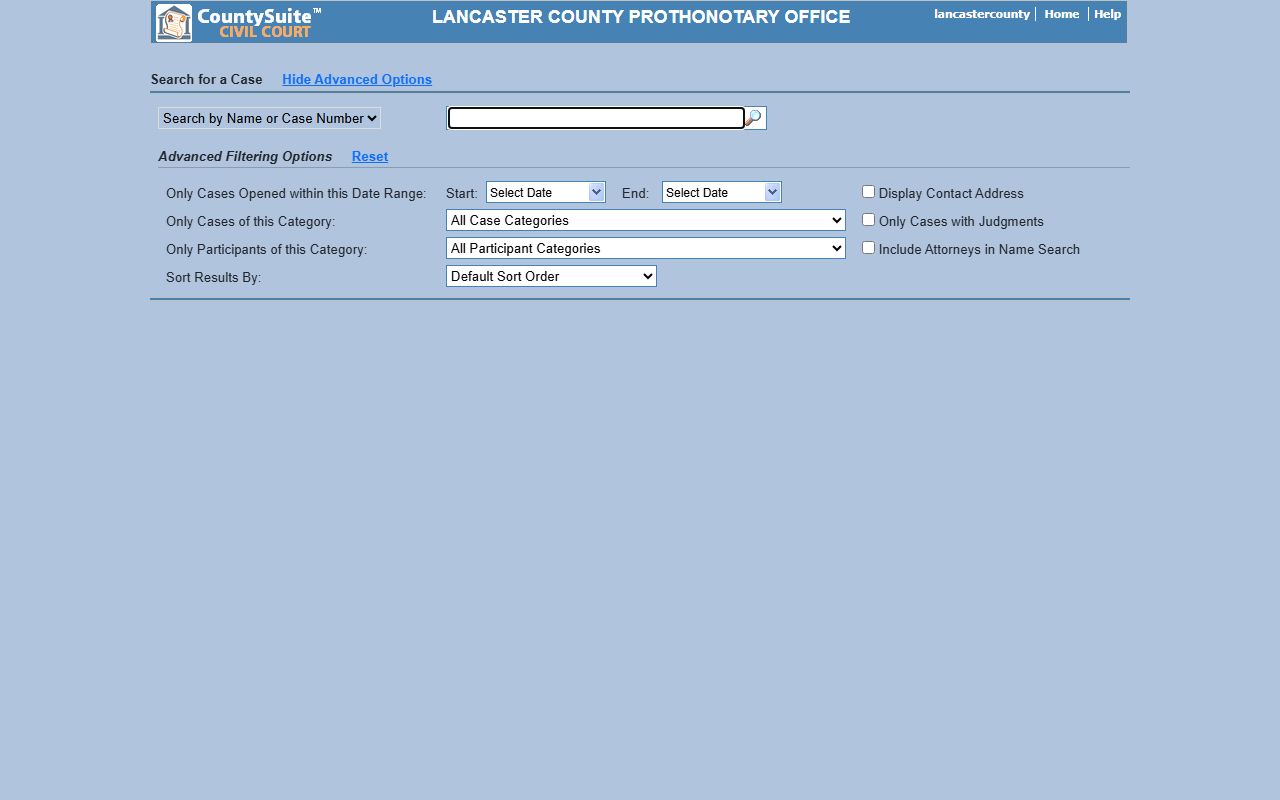
The portal returns a list of matching civil cases, and each row links to the case the Prothonotary keeps on file.
Note: A blank result can mean a sealed, restricted, or not-yet-posted case, not always that no civil case exists, so try more than one search key.
CountySuite Civil Search Fields
The CountySuite form changes a little based on the search mode you pick. The basic search needs only a search filter and a text entry. The advanced panel adds the date, category, judgment, and party controls. The table below lists the fields and controls on the civil portal, with a short note on each. Most casual users only touch the top two rows; the rest help when a name is common.
| Field / Control | Type | Notes |
|---|---|---|
| Search filter | Dropdown | Name or Case Number, Case Number, Participant Name, Participant Address, or Reference Numbers. |
| Search for Existing Case | Text | Free-text entry for the name, case number, or reference you have. |
| Show / Hide Advanced Filtering | Toggle | Opens or closes the advanced filter panel. |
| Date range (Start and End) | Date picker | Limits results to cases opened within a chosen window. |
| Display Contact Address | Checkbox | Shows a party contact address in results when not restricted. |
| Only Cases of this Category | Dropdown | Large list of civil case types; see the category section below. |
| Only Cases with Judgments | Checkbox | Limits results to cases that carry a judgment. |
| Only Participants of this Category | Dropdown | Party-role filter, such as plaintiff, defendant, or petitioner. |
| Include Attorneys in Name Search | Checkbox | Adds attorney names to a participant-name search. |
| Sort Results By | Dropdown | Orders the result list; the sort control sits with the filters. |
| Reset | Button | Clears the filters and starts a fresh search. |
The Display Contact Address box matters because civil files can carry address data when the law does not restrict it. The Include Attorneys box matters too: without it, a search of a lawyer's name may not return the same cases as a search of a party.
Civil Case Categories on the Prothonotary Portal
The category dropdown is a good map of what the Prothonotary actually keeps. It is not just one bucket called "civil." The list runs from plain money suits to family matters to liens. Picking the right category trims a wide name search down to the case you want. Below are the main groups, grouped by the kind of matter they cover.
Money and property cases form the core. Contract suits and tort claims sit here, along with professional liability and real property actions. Two diversion tracks also appear as categories. The Residential Mortgage Foreclosure Diversion track and the Consumer Credit Collections Diversion track both show as labels, so a foreclosure or a credit-card collection case may carry that tag on the docket.
- Contract and tort - contract suits, the credit-card diversion track, tort, mass tort, and professional liability.
- Real property - real property actions and the residential mortgage foreclosure diversion track.
- Family - divorce, annulment, custody, and Protection from Abuse cases.
- Judgments and liens - abstracts of judgment, confessions of judgment, foreign judgments, tax liens, and mechanics liens.
- Appeals - MDJ appeals, assessment appeals, zoning appeals, and license or registration appeals.
- Petitions - name changes, vehicle-title petitions, private-road petitions, and miscellaneous filings.
Divorce and custody are civil matters, so they sit here rather than with the criminal office. For the marriage license itself, that is a separate office, covered on the marriage and divorce records page.
How to Request a Certified Copy
A docket you read online is not a certified document. Courts, other agencies, and many out-of-state offices want a certified copy under the court seal. A certified civil copy proves the filing is a true record of the Prothonotary. People often need one for a divorce decree, a satisfied judgment, a name-change order, or to remarry. The online view is fine for a quick look, but it is not the official paper.
To get a certified copy, find the case first, then ask the office for the document you need. Bring or note the civil case number, since it speeds the search at the counter. The office charges per page and adds a certification fee, so confirm the current amount on the fee bill before you pay. The steps below set out the usual path.
- Find the civil case number on the CountySuite Civil Public Search.
- Note the exact document you want, such as a divorce decree, an order, or a judgment.
- Contact the Prothonotary at the courthouse to confirm the copy is available and the current fee.
- Submit the request with payment in a form the office accepts; many offices do not take personal checks.
- Pick up the certified copy at the counter or wait for it by mail.
For an older file or a record that does not show on the portal, the counter can check the paper or microfilm record. Ask before you make the trip, since some files take time to pull.
Lancaster County Prothonotary Fees
Civil fees depend on the filing and the copy. The Prothonotary publishes its own fee bill, and that document is the place to confirm a current amount. Filing fees, copy fees, and certification fees all change over time, so check the fee bill before you file or mail a payment. The office charges a per-page rate for plain copies. The table notes the documented copy rate and points to the fee bill for the rest.
| Item | Amount |
|---|---|
| Plain copy per page | $0.25 per page |
| Certified copy | See the published Prothonotary fee bill |
| Civil filing fees | See the published Prothonotary fee bill |
| Judgment and lien fees | See the published Prothonotary fee bill |
You can pull the current schedule from the Lancaster County Prothonotary fee bill, which lists civil filing, copy, and certification charges.
Note: Confirm the exact filing or copy fee on the official Prothonotary fee bill before you file, since published court costs can change without much notice.
Civil Court Forms for Lancaster County
Many civil filings start with a standard form. Pennsylvania publishes statewide court forms through the Unified Judicial System, and the Prothonotary accepts the civil versions for Common Pleas cases. Divorce, custody, Protection from Abuse, and many petitions all have set forms. Using the right form, filled out fully, keeps a filing from bouncing back at the counter.
The statewide forms site is the official source for blank civil and family forms.
You can download civil and family packets from the Pennsylvania UJS court forms library, which hosts the statewide form set.
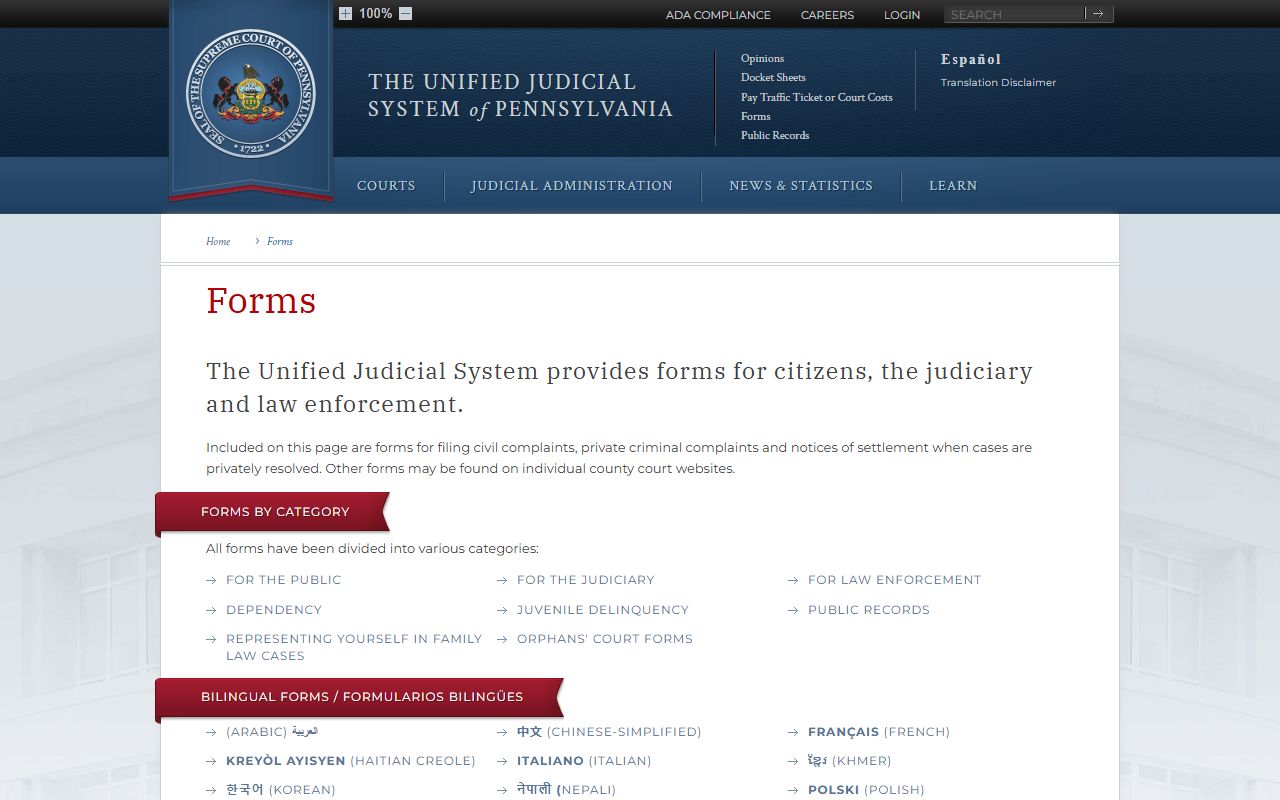
Those forms cover statewide civil and family filings, though some Lancaster County matters also use local forms the Prothonotary can confirm at the counter.
Civil Appeals Through the Prothonotary
The Prothonotary is the office that moves civil appeals. When a party loses before a Magisterial District Judge in a civil matter, the appeal is filed here and taken to the Court of Common Pleas. When a party appeals a Common Pleas civil ruling, the Prothonotary processes that appeal to the state appellate courts. Most private civil appeals go to the Superior Court. Many cases involving state and local government go to the Commonwealth Court.
This is the civil side of the appeal chain. Criminal and summary appeals run through the Clerk of Courts instead. So a divorce or a contract appeal starts here, while a criminal appeal does not. The deadlines on appeals are short, so a party who plans to appeal should check the time limit with counsel or the office right away.
Visiting the Prothonotary's Office
The Prothonotary sits inside the Lancaster County Courthouse at 50 North Duke Street in downtown Lancaster. Sheriff's deputies screen everyone at the entrance, and the office reports that deputies screen about 1,500 people and 1,300 items each day. Plan for that line. Public cell phones and recording devices are not allowed in court facilities, and a phone or smart watch may be placed in a Sheriff's security pouch until you leave.
Print what you need before you arrive. Bring the civil case number, the form you plan to file, and payment in a form the office accepts. The courthouse uses a P.O. box for mail, but visitors should use the street address for driving and mapping.
You can confirm the courthouse location and plan the trip with a map.
The Lancaster County courthouse location map shows the building at 50 North Duke Street in downtown Lancaster.

The courthouse holds the civil filing counter on the upper floors, so allow a few minutes to reach the right office after screening.